Ever wish you could just make money while scrolling?
Brave browser actually pulls it off. It ships with an integrated feature called Brave Rewards, which hands out small cryptocurrency payouts simply for browsing the web.
What’s on the agenda: a peek under the hood of Brave Rewards, how to kick off earning Basic Attention Tokens (BAT). Also, an easy‑to‑follow path for getting that crypto into your wallet. In short, we cover how to earn crypto with brave browser.
What’s Brave Rewards All About and How Does It Actually Work?

Love reading and writing? Submit a post to our blog.
Notice that red triangle perched next to your search bar? Tap it to turn on Brave Rewards and you’ll start gathering a cryptocurrency called Basic Attention Token, or just BAT.
The second you switch it on, Brave launches a stream of ads your way. Except these ones actually respect your privacy (which, honestly, feels weird in 2025). Every month rolls around, and you earn crypto from ads that you saw.
What Are Brave Ads?
Brave Ads aren’t some invasive mess cluttering your screen. They’re low-key notifications, new tab backgrounds, and sprinkled throughout Brave Search. You can dial up or down how often they show in your settings.
Here’s the thing that actually matters: Brave’s ad engine runs entirely on your machine. Your browsing stays locked down locally. Yet you still get tailored ads that guess your needs.
What Is Basic Attention Token (BAT)?
Basic Attention Token (BAT) is a cryptocurrency reward for watching those ads. And you can stash it in the browser’s built-in wallet.
The real appeal? You can actually use it. Tip creators on their sites, YouTube, Twitch. Convert it to other cryptos if you want. Brave’s team is already talking about letting you spend BAT at their merch store or use it for VPN subscriptions down the road.
What Is Brave Wallet?
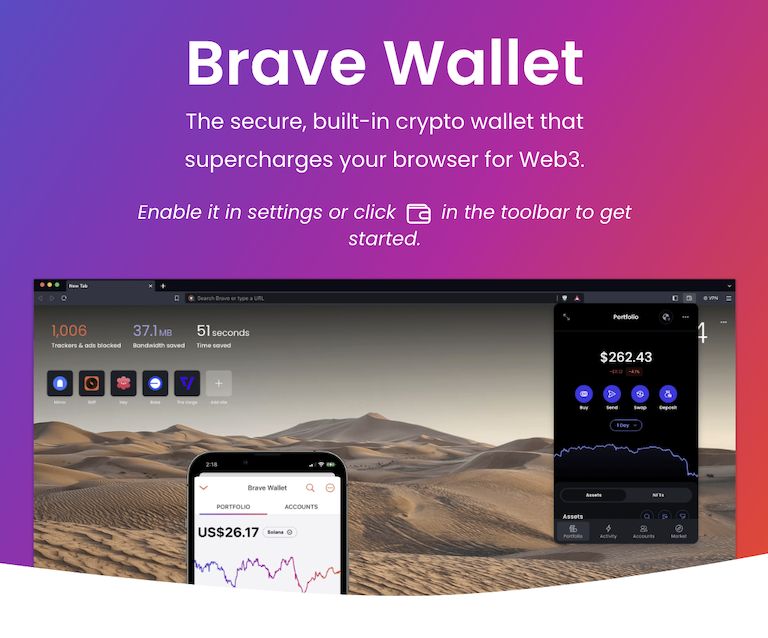
When you earn BAT with Brave, stash it in Brave Wallet. It’s a type of wallet known as “self-custody”: there’s no middleman. You own the funds.
It’s an ideal solution if you’re just getting into crypto. It comes with your browser and packed with the features you’d find in standalone wallets. It allows you to buy crypto with USD by partnering with Ramp. It also lets you swap BAT for other crypto like Bitcoin.
How All the Components Work Together
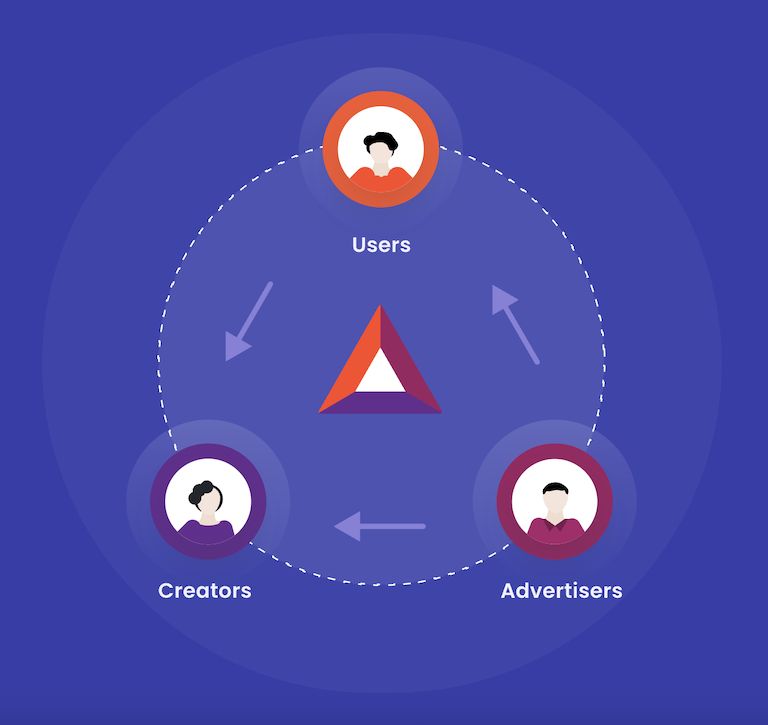
The whole thing unfolds like this: you’re browsing → privacy‑first ads pop up (keep that in mind) → BAT hits your wallet → you decide what’s next. Swap it for coins. Move it elsewhere. This is how you earn money with Brave browser.
How to Turn on Brave Rewards in Your Browser
Prepared to roll this out? It’s not complicated.
1. Get Rewards Up and Running
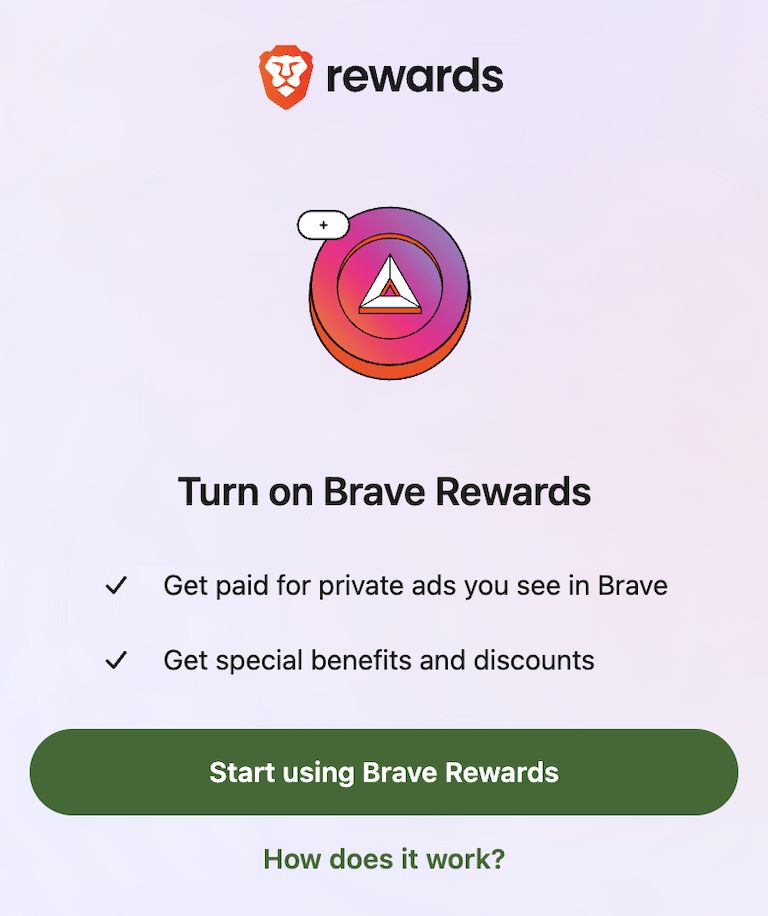
Turn on Brave, locate the red triangle perched by the search bar and give it a click. (If you’re feeling it, jump to brave://rewards.) Hit “Turn on Rewards”. You’re live. Activating this is the first step to start your Brave payout cycle.
2. Switch on the Brave Wallet
Head over to brave://wallet, follow the browser’s prompts to set up your wallet. This is where your BAT and crypto will be kept.
3. Add a Bit of Solana (SOL)
You can’t skip this step: you have to toss a bit of Solana (SOL) into the Brave Wallet. Do it up front and you get an Associated Token Account (ATA), a technical term for a sub‑wallet needed to gather BAT when you connect your Brave Wallet. Pick whichever route works:
- Grab SOL directly with USD inside Brave Wallet via Ramp.
- Send it from Binance or another exchange.
- Transfer from a wallet you already own.
- Nudge a friend into sending a handful your way.
4. Connect Brave Rewards to Brave Wallet
Go back to brave://rewards, click “Connect Account,” and follow the prompts to connect Brave Wallet (it should have a small amount of SOL in it). Once linked, your monthly payouts drop automatically.
Start Earning Your First BAT by Viewing Brave Ads
Once you’re set up, the ads start rolling in. You’ll see them as little notifications while you browse, new tab backgrounds, inline stuff in Brave Search and News. Each one nets you some BAT, increasing your overall BAT earnings as time passes. Want to check your stash? Head to brave://rewards and see the tally.
How to Withdraw BAT to Your Brave Wallet
Good news: it happens automatically. Once a month, your BAT transfers over without you lifting a finger, making it incredibly simple to earn Brave rewards. It usually lands in the first half of the month. Check out Brave Community or the Rewards Help Center if you’re feeling stuck.
What You Can Do With BAT in Your Brave Wallet
Swap it for other tokens: BAT converts to SOL, Ethereum through Brave Wallet. Takes seconds.
Move it around: Ship BAT or converted tokens to other wallets. Just check addresses twice and make sure you’ve got the right network selected.
Support creators directly: Send BAT straight to verified creators and websites worth your money. This feature, known as tipping creators, is a great way to give back directly from your earnings.
How to Turn BAT into USD and Move It to Your Bank Account
Converting BAT to USD with Brave Wallet
Brave Wallet sells BAT for USD via Ramp. Hook up your bank, verify who you are, pick the amount you want lock in the rate. You’re all set. This is one of the easiest ways to withdraw BAT to fiat and have them land in your account within a few business days.
Making the Jump from BAT to USD via a Platform Like Coinbase
Looking for alternatives? Slide your BAT into Coinbase, Binance or Kraken. Once you’re there the typical route is BAT → USDT (a 1:1 stablecoin) → USD and then cash out. Yes, it adds a few clicks but the payoff can be a tighter exchange rate, which also means that you earn more crypto by browsing.
Crypto Buzzwords (BAT, SOL, Wallets and More)
BAT vs SOL: Untangling Their Distinctions
These two handle different functions.
BAT (Basic Attention Token) is the little digital token that lands in your wallet whenever you watch an ad. You can tip creators with it. Keep the sites you love humming.
SOL fuels the Solana network. It can be staked (invested) for rewards. It also takes care of transaction fees whenever BAT is moved. Essentially, it’s the plumbing that makes the whole system tick and enables deeper crypto integration with Brave.
ERC‑20 vs SPL: Why BAT Has Also Landed on Solana
BAT initially debuted on Ethereum as an ERC-20 token. The snag? Ethereum’s transaction fees spiraled out of control for modest transfers. Consequently, Brave ported BAT to Solana making it an SPL token.
SPL tokens live natively on Solana, which makes them lightning‑quick, budget‑friendly and simply practical. For you, that means earning and moving BAT feels anything but a financial exercise.
Custodial vs Self-Custody Wallets Explained
Custodial wallets are like having a bank hold your keys. Convenient, but someone else controls your crypto. Uphold and Gemini are platforms that can create custodial wallets for users as a part of their service.
Self-custody wallets, like Brave Wallet, put you in charge. You own it outright. The downside? You’re responsible for keeping it safe.
Frequently Asked Questions
How Should I Go About Backing Up My Wallet?
Stash your recovery phrase where it won’t get lost: on a piece of paper hidden safely, in a corner of your password manager or any method you trust. Make at least two copies and store them in different places. Above all, treat it as a secret you never share.
What Steps Should I Take If I Accidentally Send BAT to the Wrong Address?
There’s no undo button. Send BAT to the wrong address and it disappears forever. Always double‑check the recipient’s address. Make sure you’re on the right network (e.g. for BAT and SOL it’s Solana) before you hit send. Better start with a tiny amount to confirm the transaction path works.
How Can I Earn More BAT with Brave Rewards?
Crank up the ad frequency in settings. Enable Brave Rewards across devices: laptop, Android phone, whatever you’ve got. Turn on Brave News for inline ads. Make Brave Search your default. More surface area, more BAT.
Can I Use Brave Rewards on Mobile Devices?
Android users are good: you earn BAT on mobile the same way. iOS? App Store won’t allow it. iPhone and iPad users are locked out.
Complement with “The New Digital Gold: A Simple Guide to Cryptocurrency” by Maxwell Westbrook.

I’m a freelance writer with 6 years of experience in SEO blogging and article publishing. While you’re here, get the latest updates by subscribing to my newsletter.